



Windows Server CAL vs. RDS CAL: Which Licenses Does Your Business Need?
Windows Server CAL vs. RDS CAL: Which Licenses Does Your Business Need?
When licensing Microsoft Windows Server, it is not enough to consider only the license for the server itself. In most business environments, the users or devices accessing server services must also be properly licensed.
This is where many common questions arise. Does your company need Windows Server User CALs or Device CALs? When is an RDS CAL required? Does an RDS CAL replace a standard Windows Server CAL? And how many licenses do you actually need?
Correct CAL licensing is important not only for licensing compliance. The right combination of User CALs, Device CALs and RDS CALs can also have a significant impact on the overall cost of your server infrastructure.
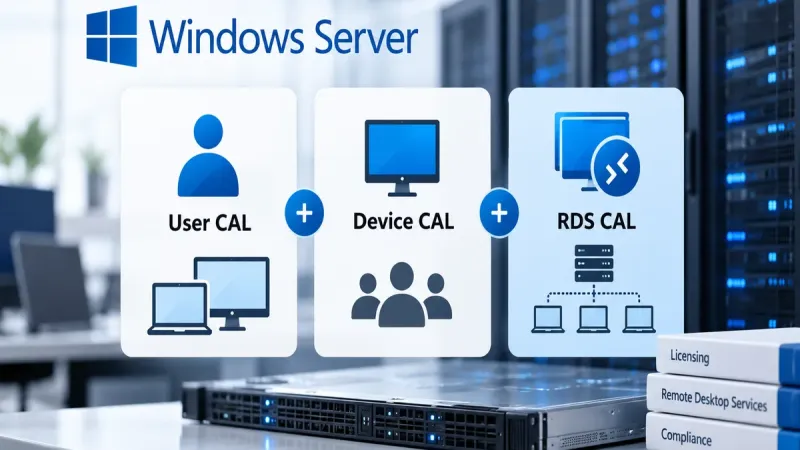
Windows Server CALs and RDS CALs are not the same licenses. A Windows Server CAL covers the basic access rights of a user or device to Windows Server. If the relevant Remote Desktop Services functionality is used, an appropriate RDS CAL is additionally required.
What is a Windows Server CAL?
CAL stands for Client Access License. It is not another installation of Windows Server and it is not software that is installed on the user's computer.
A CAL represents the licensing right of a user or device to access Windows Server services.
In a typical business deployment, you therefore need to distinguish between two areas:
- licensing the server itself – for example, Windows Server Standard or Datacenter under the applicable licensing model,
- licensing access – through Windows Server CALs for users or devices.
This means that properly licensing the physical cores of the server does not automatically cover user access licensing.
Windows Server User CAL or Device CAL?
Windows Server CALs can be licensed per user or per device. The right model depends primarily on how employees work within your organization.
Windows Server User CAL
A User CAL is assigned to a specific user. Under the applicable licensing rights, that user can then access Windows Server from different devices.
A User CAL is often a suitable choice when:
- one employee uses multiple work devices,
- employees use both laptops and desktop computers,
- employees work both in the office and remotely,
- there are fewer users than devices.
A company has 25 employees. Each employee has a laptop and some employees also use a desktop computer. Instead of licensing every individual device, it may be more efficient to license the 25 users with User CALs.
Windows Server Device CAL
A Device CAL is assigned to a specific device. Multiple users can access server services from that licensed device.
This model can be particularly suitable for:
- manufacturing environments,
- warehouses and logistics centers,
- shift-based operations,
- reception desks and shared workplaces,
- shared workstations.
A manufacturing company has 30 employees working in shifts, but they use only 10 shared computers to access the server. In this situation, licensing 10 devices with Device CALs may be more cost-effective than licensing every user individually.
User CAL vs. Device CAL – Quick Comparison
| Usage scenario | Typical choice |
|---|---|
| One user uses multiple devices | User CAL |
| Multiple users share one device | Device CAL |
| Laptop + desktop PC for one employee | User CAL |
| Manufacturing or warehouse with shift work | Device CAL |
This is a practical general guideline. When designing the final licensing model, you should always consider the actual use of your infrastructure and the current licensing terms.
What is an RDS CAL?
RDS stands for Remote Desktop Services. It is Windows Server functionality that allows users to work remotely with desktops, applications and other resources hosted in a server environment.
If a user or device uses the relevant Remote Desktop Services functionality, a standard Windows Server CAL alone is generally not sufficient. The appropriate Remote Desktop Services CAL – RDS CAL is also required.
Does an RDS CAL replace a Windows Server CAL?
No. This is one of the most common misunderstandings in Windows Server licensing.
An RDS CAL is an additional access license. It does not replace the underlying Windows Server CAL.
Windows Server CAL
+
RDS CAL
for the user or device using the relevant RDS functionality.
Of course, the Windows Server itself must also be properly licensed.
RDS User CAL or RDS Device CAL?
RDS CALs are also available on a per-user or per-device basis.
RDS User CAL can be suitable when one user accesses Remote Desktop Services from multiple devices.
RDS Device CAL may be more appropriate when several employees share the same device, for example in a shift-based environment.
How many CALs and RDS CALs does a company need?
The required number of licenses cannot be reliably determined simply by counting servers. You first need to establish who or what accesses the server services and how that access takes place.
Before calculating your requirements, collect the following information:
- the number of users accessing Windows Server,
- the number of devices used to access the server,
- the number of shared devices,
- the number of users with multiple work devices,
- whether the company uses Remote Desktop Services,
- the number of users or devices using RDS,
- the version of Windows Server being used,
- existing CAL and RDS CAL licenses.
Practical example: 30 employees and 12 RDS users
Consider a company with 30 employees. All 30 employees access services provided by the company's Windows Server, but only 12 of them use Remote Desktop Services.
If a per-user licensing model is appropriate, the licensing environment may include:
- a properly licensed Windows Server,
- 30 × Windows Server User CALs,
- 12 × RDS User CALs for users accessing RDS.
An RDS CAL is therefore not automatically required for every Windows Server user. The users or devices that use the relevant RDS functionality need to be appropriately licensed.
Do I need a separate CAL for each server?
A CAL is not a license for a specific server installation in the same way as the license for the server software itself.
When properly licensed, a user or device may, within the applicable licensing rights, access the relevant Windows Servers within the organization.
However, the CAL version is also an important factor.
Pay attention to the Windows Server CAL version
When modernizing your server infrastructure, it is not enough to check only the server licenses. You also need to verify the versions of your existing CALs.
An older Windows Server CAL generally does not provide the right to access a newer version of Windows Server. A newer CAL may, under the applicable rights, allow access to older Windows Server versions.
When upgrading your server environment, therefore check your:
- Windows Server User CALs,
- Windows Server Device CALs,
- RDS User CALs,
- RDS Device CALs.
5 common Windows Server CAL licensing mistakes
1. The company licenses the server but forgets about access
Licensing the server cores does not automatically replace the required CALs.
2. An RDS CAL is treated as a replacement for a Windows Server CAL
An RDS CAL is an additional license. In a typical RDS deployment, it is required in addition to the underlying Windows Server CAL.
3. User CALs are purchased automatically
In an environment with many employees and a smaller number of shared devices, Device CALs may be more cost-effective.
4. CAL versions are overlooked during a server upgrade
Upgrading Windows Server may also affect the version requirements for your access licenses.
5. Only concurrently logged-in users are counted
CAL licensing should not automatically be confused with the number of currently active sessions. Required coverage is determined according to licensed users or devices and the applicable licensing rules.
Second-hand CAL and RDS CAL licenses as a way to optimize costs
When expanding an existing Windows Server infrastructure, a company may need to purchase dozens or even hundreds of additional access licenses.
In such cases, CAL licensing can represent a significant part of the overall IT budget.
Properly acquired second-hand Microsoft licenses can therefore be one option for extending an existing licensing environment while optimizing acquisition costs.
When purchasing second-hand licenses, however, it is important to consider not only the price but also the origin of the licenses and the documentation required to demonstrate their lawful acquisition.
How can EvoSolutions help?
EvoSolutions helps businesses design Microsoft server licensing that reflects how their infrastructure is actually used.
We can assist you with:
- Windows Server User CALs and Device CALs,
- RDS User CALs and Device CALs,
- Windows Server Standard and Datacenter,
- calculating required Core licenses,
- SQL Server licensing,
- second-hand Microsoft licenses,
- reviewing your existing licensing environment.
Not sure how many CALs your company needs?
Send us the number of users and devices, your Windows Server version and information about whether you use Remote Desktop Services.
EvoSolutions will help you choose the right combination of Windows Server CALs and RDS CALs without unnecessary overlicensing.
Frequently Asked Questions
What is the difference between a Windows Server CAL and an RDS CAL?
A Windows Server CAL covers the basic access rights of a user or device to Windows Server. An RDS CAL is an additional license required when the relevant Remote Desktop Services functionality is used.
Does an RDS CAL replace a Windows Server CAL?
No. An RDS CAL is an additional license. In a typical RDS deployment, the underlying Windows Server CAL is required together with the appropriate RDS CAL.
Is a User CAL or Device CAL better?
It depends on how your organization works. A User CAL is often more practical when one person uses multiple devices. A Device CAL can be more cost-effective when several employees share a smaller number of devices.
Does every Windows Server user need an RDS CAL?
No. RDS CAL licensing needs to cover the users or devices that use the relevant Remote Desktop Services functionality.
Do I still need CALs if Windows Server is licensed by cores?
Server licensing and access licensing are separate areas. Under the standard Windows Server licensing model, Core licenses therefore do not automatically replace the required access CALs.
Can I use an older CAL with a newer version of Windows Server?
An older CAL generally does not provide the right to access a newer version of Windows Server. When modernizing your infrastructure, you should therefore verify your existing CAL versions and the applicable licensing rights.
This article is for informational purposes only. Specific licensing requirements depend on the product, version, licensing program, acquisition method and deployment scenario. Before purchasing or changing your licensing environment, we recommend checking the current Microsoft Product Terms applicable to your specific scenario.