




Transferring a Microsoft License to a New Server: How to Manage the Migration Correctly
Transferring a Microsoft License to a New Server: How to Manage the Migration Correctly
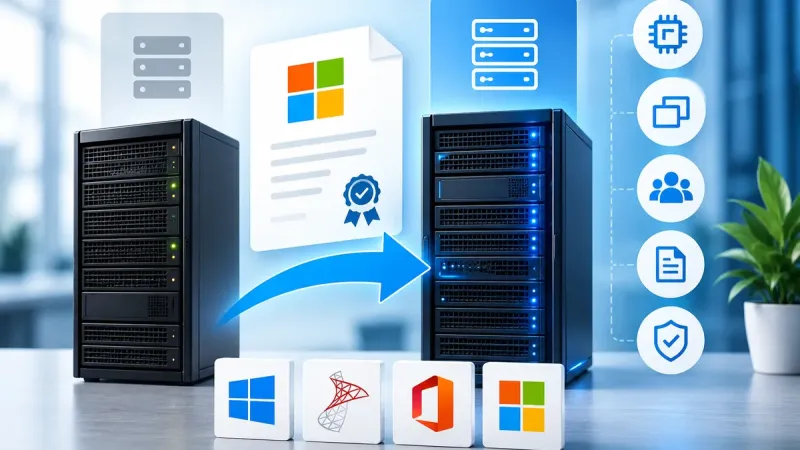
Replacing a physical server or migrating your company’s IT infrastructure does not automatically mean that you need to purchase all Microsoft licenses again. In many cases, existing licenses can be reassigned to a new server, but the rules of the specific licensing model must be respected.
The most common issues usually do not arise during the actual installation of Windows Server or SQL Server. They appear when the new server has a different number of processors or cores, the old server remains in operation at the same time, or the licensing rules for virtual environments are assessed incorrectly.
During a migration, simply transferring a product key or virtual machine is not enough. Before the workload is started, the new server must be properly licensed according to the rules of the specific product and licensing program.
License reassignment and license transfer are not the same thing
First, it is important to distinguish between two situations that are often described using the same term: “license transfer”.
Internal reassignment of a license to another server
The company continues to own the license but wants to use it on another server. There is no sale of the license and no change of ownership. Only the device to which the license is assigned changes.
Transfer of a license to another company
In the second case, the holder of the license changes. This may occur, for example, when unused licenses are sold or when licenses are acquired on the secondary software market.
This process must be distinguished from a standard internal server migration. In the case of second-hand licenses, documentation proving their origin and lawful acquisition is also important.
The 90-day rule for license reassignment
In many server licensing scenarios, Microsoft restricts short-term reassignment of licenses between physical servers.
In practice, this means that the 90-day rule often applies: once a license has been assigned to one server, it generally cannot be reassigned to another server within 90 days.
However, exceptions and specific rules may apply. These can depend on factors such as:
- the specific product,
- the licensing program,
- active Software Assurance,
- a subscription license,
- the method used to license virtual machines,
- permanent hardware failure.
For more complex environments, it is therefore important not to apply one licensing rule automatically to every Microsoft product.
A new server may require additional licenses
This is one of the most common issues when migrating to new hardware.
A company may have a correctly licensed older server and assume that the same number of licenses can simply be moved to a newer and more powerful server.
However, when Windows Server is licensed based on physical cores, the licensing requirement depends on the hardware configuration of the new server.
Windows Server and physical cores
When licensing by physical cores, all physical cores in the server must be covered, while Microsoft’s minimum licensing requirements must also be met.
- a minimum of 8 Core licenses per physical processor,
- a minimum of 16 Core licenses per physical server,
- if the server has more cores, the actual number of physical cores must be licensed.
If the original server was licensed for 16 cores and the new server has 24 physical cores, simply transferring the existing 16 Core licenses may not be sufficient. The licensing requirement of the new hardware should be calculated before migration.
Windows Server Standard and virtualization
With Windows Server Standard, not only the number of physical cores matters, but also the number of virtual environments you intend to run.
Under traditional physical-core licensing, fully licensing the server with Windows Server Standard provides rights to run up to two virtual OSEs. If additional virtual environments are required, the appropriate licensing coverage must be stacked.
For environments with a larger number of virtual machines, it may therefore be worth comparing Windows Server Standard with Windows Server Datacenter.
Windows Server Datacenter for highly virtualized environments
Windows Server Datacenter is primarily designed for environments with a high level of virtualization.
Once the physical server has been properly licensed, Datacenter provides significantly broader virtualization rights than the Standard edition.
When designing a new infrastructure, we therefore recommend comparing:
- the number of physical cores,
- the number of planned virtual machines,
- expected future growth,
- the cost of repeatedly licensing Windows Server Standard,
- the cost of Windows Server Datacenter.
Be careful when migrating virtual machines between hosts
The technical ability to move a virtual machine from one host to another does not automatically mean that the move is properly covered from a licensing perspective.
Under traditional Windows Server physical-core licensing, licenses are assigned to the physical server. If a workload starts running on another host, the licensing coverage of the destination server must be checked.
Specific mobility rights may be available with certain subscription licenses and licenses covered by active Software Assurance. Clusters and dynamic virtualization environments should therefore always be assessed according to the applicable licensing model.
Can the old server remain online during migration?
This is another common licensing issue.
A company may move the workload to a new server while keeping the original server operational for several weeks as a precaution.
However, if both servers are simultaneously running workloads that require licensing, appropriate licensing coverage must be provided for both devices. One set of licenses cannot automatically cover two physical servers that are being used at the same time.
Do not forget CAL licenses
When migrating Windows Server, Core licenses are not the only licenses that need to be reviewed.
You should also check access licenses such as:
- Windows Server User CAL,
- Windows Server Device CAL,
- Remote Desktop Services User CAL,
- Remote Desktop Services Device CAL.
When upgrading to a newer generation of Windows Server, the compatibility of existing CAL licenses with the new server version should also be verified.
What about second-hand software licenses?
For properly acquired second-hand licenses, documentation relating to their origin and acquisition should be retained in addition to ensuring correct technical licensing.
An internal change of server does not in itself mean that the company is selling the license to another entity. However, the original documentation associated with the second-hand license should continue to be retained.
We also recommend maintaining internal records containing information such as:
- product and edition,
- number of licenses,
- server to which the licenses were assigned,
- date of assignment or reassignment,
- number of physical cores,
- number and type of virtual environments.
Checklist before migrating to a new server
- Identify the licensing model. Check the product, edition, license type and any applicable Software Assurance.
- Check the reassignment rules. Determine whether the 90-day restriction or an exception applies to the specific license.
- Count the cores in the new server. Calculate the licensing requirement based on the new hardware.
- Review virtualization. Consider the number of VMs and all hosts on which the workloads may run.
- Plan the shutdown of the old server. If both servers will operate simultaneously for a period of time, verify the licensing coverage of both.
- Check CAL licenses. Review users, devices, RDS requirements and version compatibility.
- Update your internal records. Record the migration date and the new license assignment.
- Retain documentation. For second-hand licenses, continue to retain documentation demonstrating lawful acquisition.
Server migration is a good opportunity to optimize licensing
Replacing server hardware does not have to be just a technical migration. It is also an ideal opportunity to review the entire licensing model.
A company may discover, for example, that:
- only a few additional Core licenses are required,
- Datacenter is more suitable for a larger number of VMs,
- some existing licenses are no longer needed,
- a newer generation of CAL licenses is required,
- second-hand licenses can reduce the cost of expanding the infrastructure.
How can EvoSolutions help?
EvoSolutions helps companies design suitable licensing models when replacing servers, implementing virtualization and modernizing IT infrastructure.
We can assist with:
- calculating Windows Server Core licensing requirements,
- comparing Standard and Datacenter editions,
- SQL Server licensing,
- CAL and RDS CAL licensing,
- licensing virtual environments,
- supplying additional second-hand Microsoft licenses,
- optimizing existing software license portfolios.
Planning a new server or migration?
Send us the configuration of the new server, the number of processors and cores, the planned number of virtual machines and details of your existing licenses.
EvoSolutions can help you determine which existing licenses can be reused and which additional licenses may be required.
Frequently Asked Questions
Can I transfer a Windows Server license to a new server?
Depending on the license type and licensing program, licenses may be reassigned to another server. However, the applicable reassignment rules must be followed. In many scenarios, a 90-day restriction applies.
What if the new server has more cores?
When Windows Server is licensed based on physical cores, the new server must have sufficient Core license coverage for its own hardware configuration. Existing licenses from the old server may therefore not be sufficient.
Can the old and new servers run simultaneously during migration?
If both devices simultaneously run workloads that require licensing, appropriate licensing coverage must be provided for both servers.
Do I need new purchase documentation after moving a second-hand license?
An internal server reassignment is not in itself a new sale of the license. However, documentation demonstrating the original lawful acquisition of the second-hand license should continue to be retained.
Is transferring the product key enough?
No. Technical activation and licensing rights are two different matters. The new server must be properly licensed according to the specific product, hardware configuration and deployment method.
This article is for informational purposes only. Licensing terms may vary depending on the product, version, method of acquisition, licensing program and active licensing benefits. Before migration, we recommend checking the current Microsoft Product Terms applicable to the specific deployment.