




Microsoft 365 Business Standard: Everything Your Business Needs
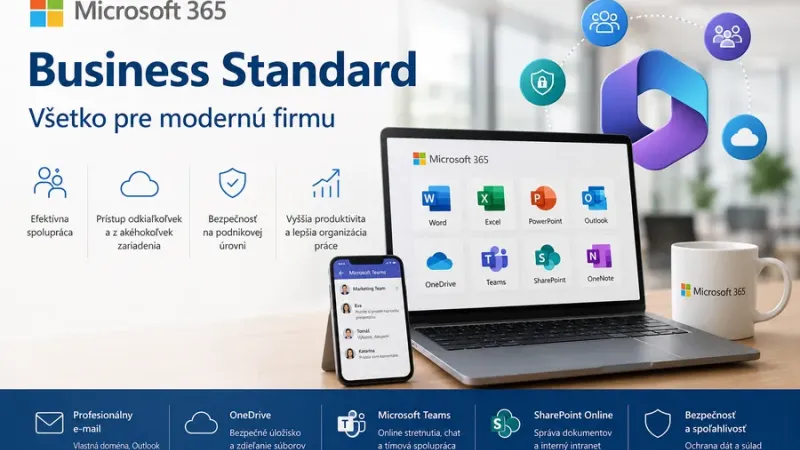
Microsoft 365 Business Standard: Everything Your Business Needs
Modern businesses need reliable tools for communication, collaboration, document creation, and secure information sharing. Employees now work from the office, from home, and while travelling, which makes it essential for them to have access to company files, emails, and applications wherever they are.
Microsoft 365 Business Standard is a comprehensive solution for small and medium-sized businesses that want to combine office applications, professional email communication, cloud storage, and team collaboration within one environment.
Instead of using several disconnected tools, a business gains a unified platform that simplifies daily work, improves communication between employees, and supports more efficient document management and business processes.
What Is Microsoft 365 Business Standard?
Microsoft 365 Business Standard is a subscription designed primarily for businesses that need full desktop versions of office applications together with cloud services for email, file storage, and team collaboration.
Users can work with documents in Word, spreadsheets in Excel, presentations in PowerPoint, and emails in Outlook. At the same time, they gain access to tools that allow them to share documents, collaborate on tasks, and communicate with colleagues within a single digital workplace.
Microsoft 365 Business Standard is suitable for businesses that want to:
- use modern office applications,
- gain professional business email,
- store and share documents in the cloud,
- improve team communication and collaboration,
- support remote working,
- combine business tools within one solution.
Office Applications for Everyday Work
The foundation of Microsoft 365 Business Standard consists of familiar office applications that businesses use in their daily operations. Employees can use them to create documents, financial reports, presentations, quotations, contracts, and internal reports.
The most commonly used applications include:
- Microsoft Word for creating contracts, policies, quotations, and other documents,
- Microsoft Excel for calculations, data analysis, record-keeping, and reporting,
- Microsoft PowerPoint for presentations and sales materials,
- Microsoft Outlook for managing emails, calendars, and contacts,
- Microsoft OneNote for notes, meeting minutes, and organising information.
A major advantage is the connection between desktop applications and cloud services. Users can begin working on a document in the office and continue on another device without manually transferring files.
Professional Business Email
Reliable business communication requires a professional email address using the company’s own domain. Microsoft 365 Business Standard enables organisations to create employee mailboxes and manage business communication through Outlook.
Employees can access their emails, calendars, and contacts from a computer, mobile phone, or web browser.
Professional business email helps companies to:
- build trust and credibility,
- unify employee communication,
- organise meetings and calendars,
- simplify contact management,
- separate business communication from personal accounts.
OneDrive Cloud Storage
Documents stored only on a local computer may be at risk in the event of device failure, laptop loss, or accidental damage. OneDrive allows businesses to store work files in the cloud and make them available to authorised users.
Employees can access documents from different devices and share them easily with colleagues or business partners.
Cloud file storage offers benefits such as:
- access to documents from anywhere,
- simple file sharing,
- collaboration on the latest version of a document,
- less need to send large email attachments,
- better organisation of work files.
Microsoft Teams for Communication and Collaboration
Effective team communication is especially important in organisations where employees work from different locations or contribute to several projects.
Microsoft Teams provides a space for workplace communication, online meetings, file sharing, and collaboration between team members.
Businesses can use Microsoft Teams for:
- online meetings and video calls,
- communication within project teams,
- sharing documents and work materials,
- organising teams by department or project,
- communicating with remote employees,
- reducing confusing email communication.
SharePoint Online and Business Documents
As the number of documents grows, businesses may find it difficult to keep track of where files are stored, which versions are current, and who has access to them. SharePoint Online helps create a centralised environment for managing documents and internal information.
An organisation can use SharePoint as a company intranet, document centre, or dedicated workspace for individual departments and projects.
SharePoint Online can support:
- central storage of business documents,
- management of permissions and access rights,
- document version history,
- sharing internal announcements and policies,
- collaboration between departments,
- digitalisation of document processes.
Working from the Office, Home, or While Travelling
Microsoft 365 Business Standard supports flexible ways of working. Employees can access emails, documents, and company information from different devices.
This is particularly useful for sales representatives, managers, external workers, and remote teams. A business can provide employees with a consistent working environment regardless of where they are currently working.
Flexible working provides:
- faster access to information,
- simpler document sharing,
- better availability of work tools,
- more efficient collaboration between branches,
- support for hybrid and remote working models.
Business Process Automation
Microsoft 365 is more than a collection of office applications. Its services can also be used to digitalise and automate repetitive business processes.
Using SharePoint Online, Microsoft Forms, and Power Automate, a company can replace manual procedures with digital workflows.
Processes that can be automated include:
- invoice and purchase order approvals,
- holiday and business travel requests,
- recording internal requests,
- contract and document approvals,
- sending notifications and reminders,
- onboarding new employees.
Automation reduces administrative workload, limits manual errors, and provides a clearer overview of the status of individual processes.
Simpler User and Licence Management
As the number of employees grows, it becomes increasingly important to maintain an overview of user accounts, licences, and access permissions.
Microsoft 365 allows administrators to manage users centrally, assign services, and adjust access according to job role or department.
Centralised management helps businesses to:
- create accounts for new employees more quickly,
- remove access for employees who have left the company,
- monitor assigned licences,
- unify the management of business services,
- improve visibility of the tools being used.
Who Is Microsoft 365 Business Standard Suitable For?
Microsoft 365 Business Standard is particularly suitable for small and medium-sized businesses that need professional office applications and cloud services within one solution.
It can be used by:
- sales and consulting companies,
- accounting and administrative firms,
- manufacturing and logistics organisations,
- real estate agencies,
- marketing and creative agencies,
- non-profit organisations,
- businesses with multiple branches or remote employees.
Business Standard or Another Microsoft 365 Plan?
When selecting a licence, it is important to consider the number of users, working methods, required applications, security requirements, and the need for device management.
Microsoft 365 Business Standard is suitable for companies that want to use desktop applications together with professional email and cloud services.
Some organisations may only require a simpler plan, while businesses with more advanced security and device management requirements may need a more comprehensive solution.
Before purchasing licences, it is therefore advisable to analyse the company’s needs and choose a plan that reflects the way employees actually work.
Why Choose Microsoft 365 from Evosolutions?
Evosolutions helps businesses select suitable Microsoft 365 licences, configure user accounts, and prepare an environment for secure and efficient collaboration.
The objective is not only to supply licences, but to design a solution that reflects the number of users, internal processes, and future requirements of the organisation.
Evosolutions can help businesses with:
- selecting the right Microsoft 365 plan,
- analysing existing licences,
- setting up user accounts and services,
- migrating emails and documents,
- implementing Microsoft Teams and SharePoint Online,
- digitalising and automating business processes,
- optimising software licensing costs.
A Complete Solution for the Modern Business
Microsoft 365 Business Standard combines office applications, professional email, cloud storage, and team collaboration within a single solution.
It helps businesses simplify daily work, improve communication, support remote working, and create a better system for managing documents and internal information.
For organisations that want to modernise their working environment and use technology more effectively, Microsoft 365 Business Standard provides a practical foundation for a digital business.
With professional support from Evosolutions, a company can select the right licences, configure individual services, and use Microsoft 365 according to its actual business requirements.