




Microsoft Teams: Streamline Work and Communication in Your Business
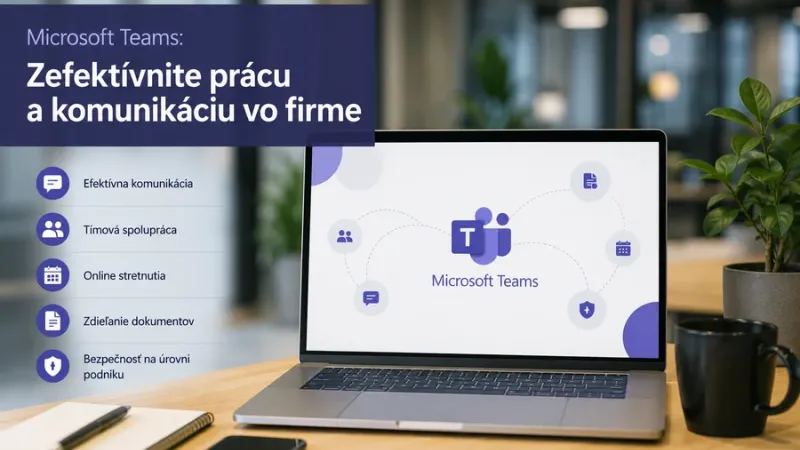
Microsoft Teams: Streamline Work and Communication in Your Business
Effective communication is one of the foundations of every successful modern business. Teams work from offices, remotely, and in hybrid environments, projects are managed across departments, and fast information exchange is more important than ever before. That is why Microsoft Teams has become one of the most widely used platforms for business communication and collaboration.
Microsoft Teams combines chat, online meetings, file sharing, teamwork, and Microsoft 365 integration into a single environment. It helps organizations simplify daily operations, reduce email overload, and improve the organization of internal processes.
Why Microsoft Teams Matters for Modern Businesses
In many companies, communication still takes place across multiple channels at once — email, phone calls, chats, shared drives, and in-person meetings. This often leads to disorganized workflows, lost information, and unnecessary delays.
Microsoft Teams addresses these challenges by centralizing communication and collaboration into one unified platform.
With Microsoft Teams, businesses gain:
- faster internal communication,
- more organized team collaboration,
- simple online meetings and video conferencing,
- centralized file sharing,
- better project and task organization,
- support for hybrid and remote work.
Chat, Calls, and Online Meetings in One Place
Microsoft Teams allows employees to communicate quickly and efficiently without switching between multiple applications. Chats, group conversations, audio calls, and video meetings are all available within one platform.
This is especially beneficial for organizations that need to respond quickly to customer requests, coordinate projects, or maintain smooth communication between departments.
Main communication features include:
- private and group chats,
- online meetings and video conferences,
- screen sharing,
- meeting recordings,
- Outlook-integrated calendar management,
- notifications and communication history.
Efficient Collaboration on Documents
One of the biggest advantages of Microsoft Teams is its seamless integration with Microsoft 365 applications such as Word, Excel, PowerPoint, SharePoint, and OneDrive. Teams can collaborate on documents in real time without constantly sending email attachments back and forth.
This reduces the risk of working with outdated document versions while increasing transparency and collaboration efficiency.
Microsoft Teams enables businesses to:
- share documents within teams and channels,
- co-edit files in real time,
- store files securely in SharePoint or OneDrive,
- access document version history easily,
- quickly find important project materials.
Supporting Hybrid and Remote Work
Hybrid work has become a standard part of modern business operations. Employees need secure and convenient access to communication tools, documents, and business applications regardless of where they work.
Microsoft Teams provides companies with a flexible environment that supports office work, remote work, and mobile collaboration.
With Teams, businesses can:
- maintain smooth communication between employees,
- ensure access to important documents,
- organize online meetings from anywhere,
- simplify onboarding processes for new employees,
- increase team flexibility and productivity.
Security and User Management
Security is critical when it comes to business communication. Microsoft Teams uses Microsoft 365 security technologies to help protect company data, communications, and user accounts.
Administrators can configure access permissions, manage users, monitor external communication, and apply security policies according to organizational requirements.
Main security features include:
- user access and permission management,
- multi-factor authentication,
- encrypted communication and data storage,
- control over external sharing,
- centralized administration through Microsoft 365,
- compliance with internal security policies.
Microsoft Teams as Part of Digital Transformation
Microsoft Teams is more than just a chat or video meeting application. When properly implemented, it becomes the central hub for company collaboration, connecting employees, documents, tasks, and business processes.
Combined with other Microsoft 365 tools, Teams can help organizations digitize internal processes, automate repetitive tasks, and improve project management.
Teams is especially valuable for:
- project communication,
- internal meetings and decision-making,
- document sharing and collaboration,
- approval workflows,
- communication with external partners,
- management of hybrid teams.
How to Optimize Microsoft 365 and Teams Licensing Costs?
Implementing modern communication platforms should also include proper license management. Many businesses pay for licenses they do not fully utilize or choose plans that do not match their actual needs.
For this reason, organizations should regularly review their licensing structure, evaluate Microsoft 365 usage, and optimize costs based on the number of users and required features.
Evosolutions helps companies optimize Microsoft licensing, provides licensing consultancy, and supports efficient use of Microsoft 365 solutions, including Microsoft Teams.
More Efficient Communication Without Unnecessary Complexity
Microsoft Teams provides a modern solution for businesses looking to improve communication, simplify collaboration, and support flexible work environments. It combines chat, calls, meetings, documents, and teamwork into one organized platform.
With proper implementation and optimized licensing, organizations can use Microsoft Teams efficiently, securely, and cost-effectively.
For businesses aiming to modernize internal communication and increase team productivity, Microsoft Teams represents a practical step toward a more digital future.